Parental controls
kenny has an optional parental-awareness layer for the family PCs you administer. It can observe which domains a PC has been reaching, match them against a per-host list, and — on demand — block a set of known-harmful domains. There are two features:
- Web activity + web filter — see (and optionally block) the domains a PC visited.
- Screen time — how many interactive minutes per day a PC was actually in use.
Consent and scope
This is for machines you administer, in a family setting, with the knowledge and consent of the people who use them. kenny takes host names only — never full URLs, page titles, form data, or which user visited. Data lives behind the operator token, is treated as untrusted in chat context, and is retained like the rest of telemetry (~30 days). See ADR-0024.
The server matches, the agent enforces
The server holds each host's config and lists and does all the matching and classification. The agent stays dumb: its collector reports the domains it can observe right now (from the OS DNS client cache and each user's browser history), and — only under Protect — it applies a single flat block list idempotently (a marker-delimited hosts-file block plus optional browser DoH-off), refusing any list that would blackhole self-protected names. No matching logic ever rides the wire.
Monitoring is the guarantee, blocking is best-effort
Observability does not depend on blocking. A parent gets an alarm the next snapshot after a listed site is reached, whether or not blocking was on or was bypassed (admin rights, a VPN, or a portable browser defeat host-level blocking). See ADR-0024.
Enforcement and history
Each host has two independent settings (ADR-0069):
| Setting | Values | What it decides |
|---|---|---|
Enforcement (enforcement) |
Off (off) · Log only (log_only) · Protect (protect) |
What the filter does: nothing; match observed domains against the list, record the matches and raise the alarm; or all of that plus block the list on the PC. |
Keep full browsing history (history) |
off (violations) · on (full) |
What the server keeps: only the matches, or every domain the PC reached. |
| history: matches only | history: full | |
|---|---|---|
| Off | nothing is collected on the PC | every domain is kept, nothing is matched |
| Log only | matches + alarm | matches + alarm + every domain |
| Protect | block + matches + alarm | block + matches + alarm + every domain |
- Collection follows from both. The PC collects web activity only when enforcement is not Off or full history is on. Under Off with matches only, the agent is told not to collect and gathers nothing.
- Matches only is enforced by the server. The agent holds no list, so it still reports every domain it observes; the server keeps only the matches and discards the rest on arrival.
- Under Protect a match means something got through — the block was circumvented (a
VPN, a portable browser) or the entry is a
watchentry. Names the hosts file blocks are not reported as reached. - Turning full history off deletes it. The dashboard asks first, then removes this PC's stored unmatched domains immediately; it cannot be undone.
- Changing enforcement is an edit like any other: it shows up as drift until you apply.
- A new PC starts at Off with matches only, so nothing is collected. The history it
starts with is the
KENNY_WEBFILTER_DEFAULT_HISTORYsetting (Admin → Settings → Web filter), fixed when the PC is first heard from; changing the setting affects new PCs only. - Upgrading changes nothing that is recorded. Every PC that was already reporting web activity keeps full history and the filter behaviour it had.
Categories and precedence
Each host's effective list is layered. The layers are a fixed catalog of named categories, each external (backed by a maintained upstream list, fetched over HTTPS) or local (no upstream — it contributes only this PC's own custom entries tagged with it):
| Category | Kind | Notes |
|---|---|---|
adult |
external | the StevenBlack porn-only hosts list. Driven by the use_external_adult toggle. |
bypass |
external | a hagezi DoH / VPN / proxy bypass list. Driven by the use_bypass_protection toggle. Uncapped — see Over-cap state. |
gambling |
external | a hagezi gambling-domains list |
piracy |
external | a blocklistproject piracy/torrent list |
social, gaming, streaming, shopping, chat |
local | no upstream list — each gathers only the custom entries this PC has tagged with it |
adult and bypass predate the catalog and keep their own boolean columns
(use_external_adult, use_bypass_protection) as the source of truth for those two
categories specifically — nothing else. Every other category lives in the config's
categories list. The two representations are merged server-side into one canonical
categories field on every read, so there is one list an operator or a schedule window
reasons about, not two that could drift apart.
A host also has its own custom entries (watch / block / allow), and a seed
layer — a shipped, read-only list of well-known adult domains that always contributes,
regardless of which categories are turned on. When the same domain comes from several
layers, the highest-priority provenance wins for display purposes:
| Provenance | Priority |
|---|---|
custom |
highest |
seed |
|
any external category (external_adult, bypass, gambling, …) |
lowest |
Matching is a suffix match: sub.bad.example hits an entry for bad.example. When
several block entries match, the most specific (longest) block wins. A custom allow
entry overrides a block only when it is equal-or-more-specific — a broader allow does
not unblock a narrower block. Use allow for exceptions (e.g. a homework or reference
site that would otherwise be caught by a broad list).
Only block entries (and the enabled categories) are enforced on the agent; watch
entries are matchable for the alarm but never blocked.
The dashboard's per-host Web filter section edits the whole
catalog: every category is one row, including adult and bypass, so there is a single
control per category rather than a legacy toggle competing with a catalog entry. The
schedule and pending bypass requests live in the same panel. The same state is reachable
through the API (GET/PUT /api/agent/{id}/webfilter/config, categories: [...]) and the
webfilter_get / webfilter_set MCP tools.
The panel leads with the filter's current state rather than making you infer it from the window table: whether the stricter list is in force right now, when it reverts, and — if the effective list has outgrown the agent's cap — that the block did not go out, that matching continues, and which category to turn off.
Schedule
A host can carry a schedule: one or more recurring per-host windows (e.g. "21:00–07:00,
Monday through Friday, add social and gaming"). A window names its weekdays, a
HH:MM–HH:MM start/end range, one or more extra categories, and an IANA timezone
(defaulting to the server's own TZ, else UTC).
A schedule can only make the filter stricter for its duration. A window adds
categories on top of whatever the host's own toggles already have; it never removes one,
and it cannot raise the host's enforcement level — the host has to be at Protect for
anything to be pushed. Authoring an enabled window is what opts a host into unattended
pushes: a host with no enabled window is never touched by the schedule loop. Deleting the
last window does not trigger an unattended revert to the base list either — the host simply
leaves the loop's fleet and shows up as ordinary drift until someone applies again.
The schedule is entirely server-side. The agent still receives one flat domains list and
has no clock and no notion of a category or a window — reverting at the end of a window uses
the exact same push as tightening at its start. A background loop checks each scheduled
host and pushes only when the list the schedule computes for right now differs from what
was last applied, so a pass over an unchanged fleet costs nothing on the wire. Set
KENNY_WEBFILTER_SCHEDULE_SECS=0 to disable the loop entirely.
The schedule only ever adds a category to what already blocks. It is not screen-time enforcement: it does not limit how long a PC may be used, does not lock anyone out, and carries no concept of a session or a time budget. kenny deliberately has no screen-time enforcement at all — see ADR-0029.
The rationale for making this a standing, unattended rule — where kenny had previously never changed a machine's state without a human present — is recorded in ADR-0055; read it there rather than here.
Bypass requests
A child can ask to have a domain unblocked. A bypass request is not a separate entity —
it is a ticket, opened with category web_filter. The requester is the child, and the
decision goes through the ticket's existing operator-approval gate exactly like any other
ticket step; there is no second pending-request queue with its own lifecycle to keep in
sync with the first.
Granting one is the operator's ordinary web-filter action: webfilter_set(..., add_domain=…,
action="allow") followed by a push. Nothing about granting a bypass request is special —
it is the same allow-domain call an operator would make for any other exception.
Not to be confused with the bypass category above, which blocks VPN/proxy/DoH domains
to stop the filter being circumvented — a bypass request asks permission; the bypass
category refuses to be evaded. They point in opposite directions.
Over-cap state
The agent enforces a hard cap of 10,000 domains on the list it will accept. Turning on
more categories, or a schedule window adding one, can push a host's effective block list
past that cap. When it does, the server refuses to push the list rather than truncating
it. A silently trimmed list is a filter the operator believes is complete and is not; a
push the server knows the agent will reject with bad_args teaches the operator nothing a
clear refusal doesn't teach faster.
This is a real, visible operational state, not a hidden failure:
- The host's own web-filter overview still reads normally and reports the state:
oversize: {count, cap, over_by}alongside the usual config. It reports which category to turn off, not just that something is wrong. - A manual push returns
list_too_large(400) with the count and the cap; thewebfilter_pushMCP tool raisesbad_args; the schedule loop skips the host and logs it rather than failing the whole pass. - Matching is unaffected. The over-cap list still flags domains for the alarm — the filter's primary control — even while it cannot be enforced. Monitoring does not stop because blocking cannot proceed.
- The remedy: turn off a category, add
allowentries to narrow the effective list, or lowerKENNY_WEBFILTER_MAX_BLOCK_DOMAINS(the soft cap the capped categories share — see External lists).
Health signal
When the feature is enabled for a host, the server annotates each snapshot with the domains
that matched, and the web_activity health rule escalates the PC:
| Condition (last 24h) | Status |
|---|---|
a serious flagged hit — custom, seed, or external_adult |
🔴 crit |
a bypass hit |
🟡 warn |
| nothing flagged | 🟢 ok |
If the host is not configured for parental controls, the rule simply defers. The flagged hits appear in the section detail with domain, category, matched entry, and last seen.
The list editor
Open a PC's host page, then click its Web filter card or checklist entry to open the section modal.
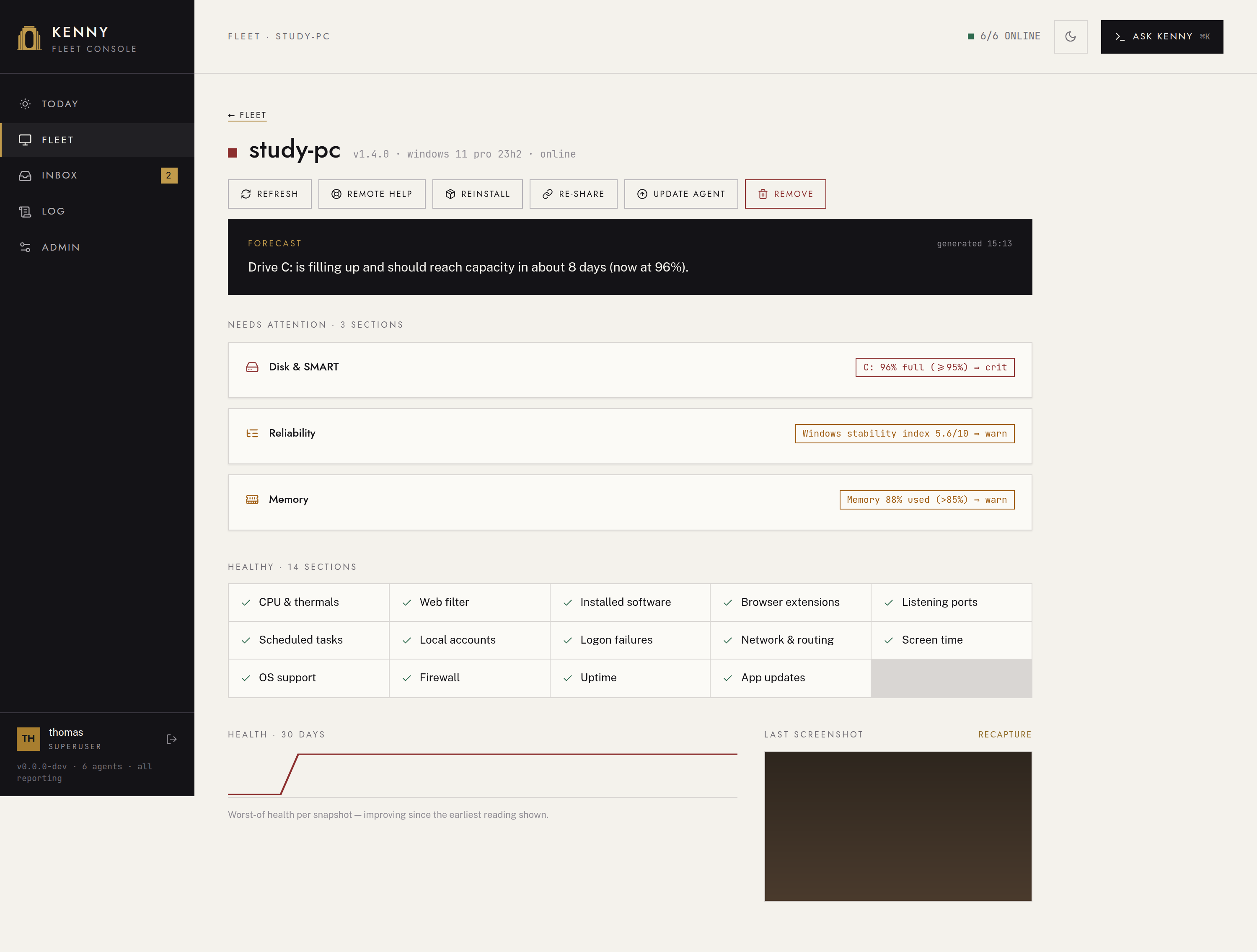
The modal shows three things:
- Flagged — domains that matched this PC's list (domain, category, matched entry, last seen).
- Observed domains (24h) — everything the agent saw, with hit counts and sources; only with keep full browsing history on, otherwise just the matches.
- The per-host parental-controls list editor.
The editor's toggles:
| Toggle | Config field | Effect |
|---|---|---|
| enforcement: Off / Log only / Protect | enforcement |
what the filter does — see Enforcement and history |
| keep full browsing history | history (violations / full) |
keep every observed domain, not only matches |
| use adult blocklist | use_external_adult |
reference the StevenBlack porn-only list |
| block VPN/proxy bypass | use_bypass_protection |
also block DoH / VPN / proxy domains |
| disable browser DoH | doh_policy (disable / leave) |
turn DNS-over-HTTPS off in browsers so the hosts block can't be bypassed |
Below the toggles you can add a custom domain with an action — block, watch (alarm only), or allow (exception) — remove entries, and press apply now to push the current block set to the agent.
Drift and the kill switch
The panel shows drift ("list changed since last apply") when the effective list has
changed since the last successful push — a reminder to press apply now. If the local
kill-switch is off at the PC, the agent refuses to apply new rules (the apply comes
back disabled), and the panel says so — but monitoring keeps working and any rules
already written to the hosts file persist until cleared.
Defaults: use_external_adult is on and doh_policy is disable. Editing the
list re-flags from the next snapshot (~15 min); the detail view's activity list matches live,
so it is always current.
External lists
The server fetches every external category's source (adult, bypass, gambling,
piracy) over HTTPS on a timer (default every 24h), with a write-through disk cache and
a seed/stale fallback when offline, guarded by size caps against an oversized upstream.
The capped categories (adult, gambling, piracy) share one budget pushed to the
agent — default 5000 domains, hard cap 10000 — so turning on a second content
category does not silently double what gets pushed. bypass is deliberately uncapped:
it is the layer that stops the filter being circumvented, so silently dropping half of it
would defeat its purpose.
The four source URLs and the cap are editable in the dashboard's
Admin → Web filter section or in the environment; a changed URL
applies on the next refresh. The refresh interval is environment-only and read at startup.
See setup.md:
KENNY_WEBFILTER_ADULT_URLKENNY_WEBFILTER_BYPASS_URLKENNY_WEBFILTER_GAMBLING_URLKENNY_WEBFILTER_PIRACY_URLKENNY_WEBFILTER_MAX_BLOCK_DOMAINSKENNY_WEBFILTER_REFRESH_SECS(environment-only;0disables the refresh)
The local categories (social, gaming, streaming, shopping, chat) have no source
URL and nothing to fetch — they carry only the custom entries a host has tagged with them.
Screen time
The screen_time section reports, for the whole machine, aggregated interactive
minutes per calendar day over the last 7 days — and deliberately nothing finer. There is
no per-app, per-window, or per-user tracking and no timestamps below the day bucket; the
payload shape structurally cannot express who was logged in or what ran.
It appears as horizontal per-day bars in the screen_time section detail and is summarized
in the weekly digest. No health rule judges it — the section is always ok; kenny
reports, parents judge. See ADR-0029.
Driving it from Ask kenny
The Ask kenny overlay — scoped to the host when opened from its page — and any MCP client can drive parental controls too. The server-only tools:
| Tool | Args | Changes state? |
|---|---|---|
webfilter_get |
id |
read-only — includes the category catalog and schedule state |
web_activity_query |
id, hours?, flagged_only? |
read-only |
webfilter_set |
id, plus config toggles / categories / add_domain / remove_domain / window_* / remove_window |
✅ |
webfilter_push |
id |
✅ |
webfilter_set's window_days/window_start/window_end/window_categories (with
optional window_label/window_tz) add one schedule window; remove_window takes a
window id. webfilter_push forwards the mutating webfilter_apply /
webfilter_clear calls to the agent (refused with disabled under the kill switch),
and returns bad_args when the effective list is over the agent's cap — see
Over-cap state. See tools.md.
See also
user-guide.md— the operator's tour of Fleet and the host page.dashboard.md— Fleet, the host page, and the Log page.telemetry.md— how sections, collectors, and health rules fit together.alerting.md— howwarn/critsurface and the weekly digest.- ADR-0024 — web activity + web filter.
- ADR-0029 — screen time.
- ADR-0055 — scheduled web-filter enforcement.