
Sharing & QR codes
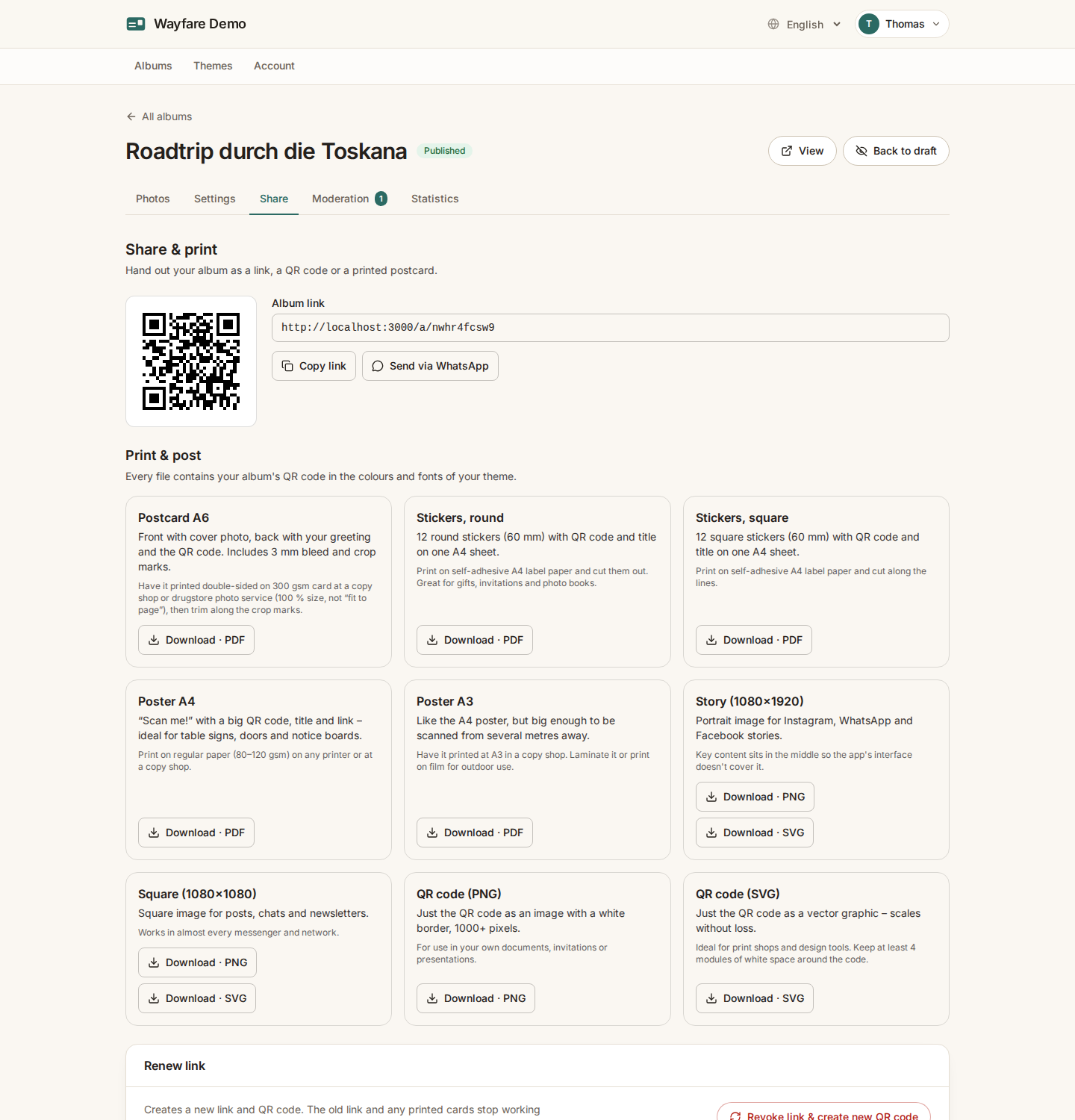
Every published album has a share link like https://your-wayfare.example/a/k3m9x2pq7d — and a QR code that points to it. The last part (the slug) is 10 random characters, so links cannot be guessed.
QR code and link
On the Share tab you can:
- scan or download the QR code (SVG for print, PNG for screens),
- copy the link,
- share it via WhatsApp, e-mail or any other app using your phone's share sheet (Web Share), where the browser supports it.
Link or password
| Mode | Who can open the album |
|---|---|
| Link | Anyone who has the link or QR code |
| Password | Anyone who has the link and knows the password |
With a password, guests see a lock screen first. After entering it correctly they stay unlocked on that device. If you change the password, everybody must enter the new one. Attempts are rate-limited. You can show a "password required" hint on printed postcards.
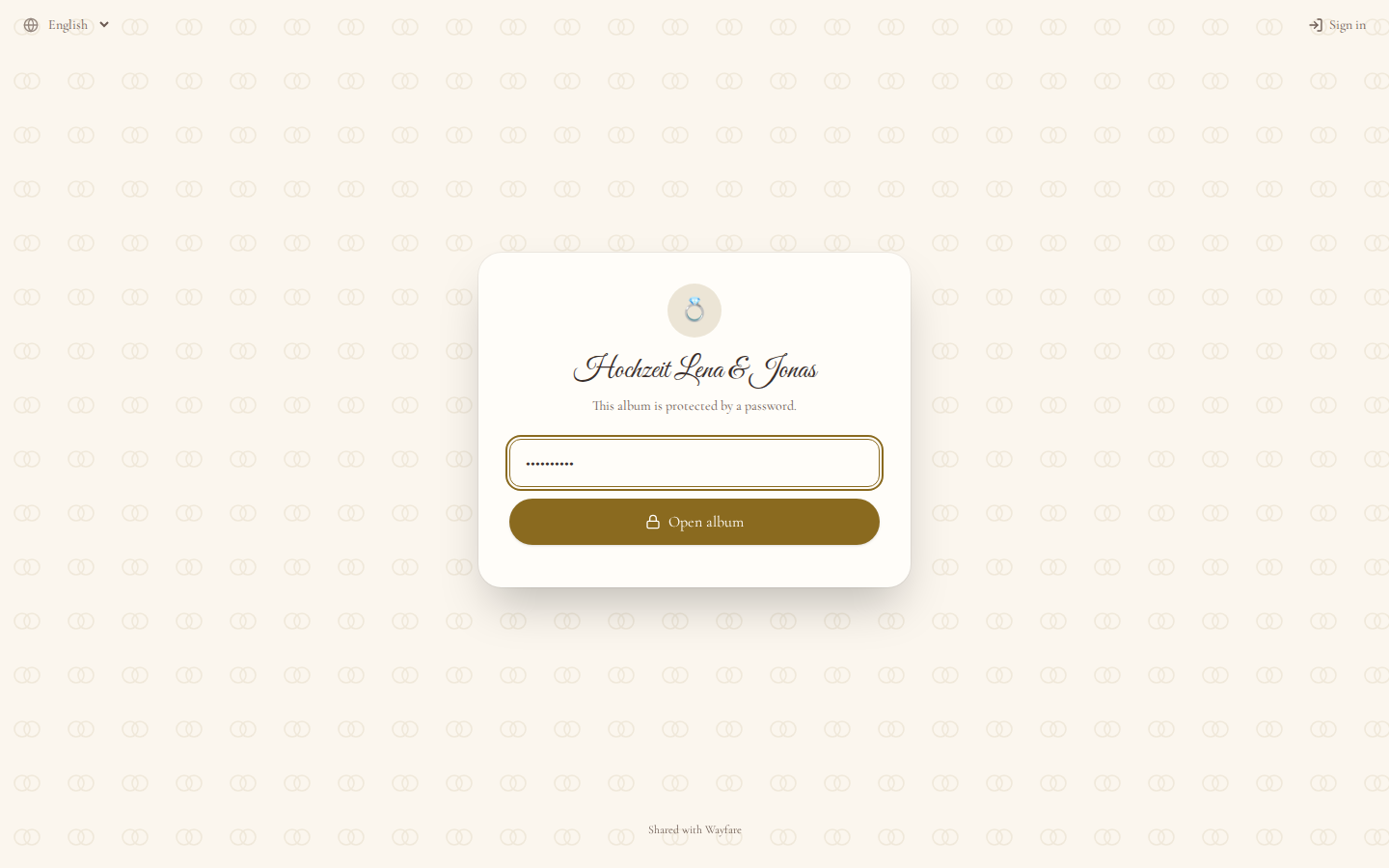
Send the password separately
Do not print the password on the same card as the QR code, unless the card itself is already a private invitation.
Expiry
Set an expiry date and the album automatically stops working after that day — guests see a friendly "this album has expired" page. You can remove or extend the date later.
Revoke and regenerate
Lost control of a QR code, or a link ended up where it should not? Choose Generate new link. The slug changes and every previously distributed link and QR code stops working immediately. Print or send the new code.
Other ways to cut off access: switch the album back to Draft, change the password, or delete the album.
Drafts are private
As long as an album is a draft, the link shows "not found" to everyone except you and admins — even if somebody knows the slug.