
Theme builder
The theme builder (Dashboard → Themes) lets you design your own look and reuse it for several albums.
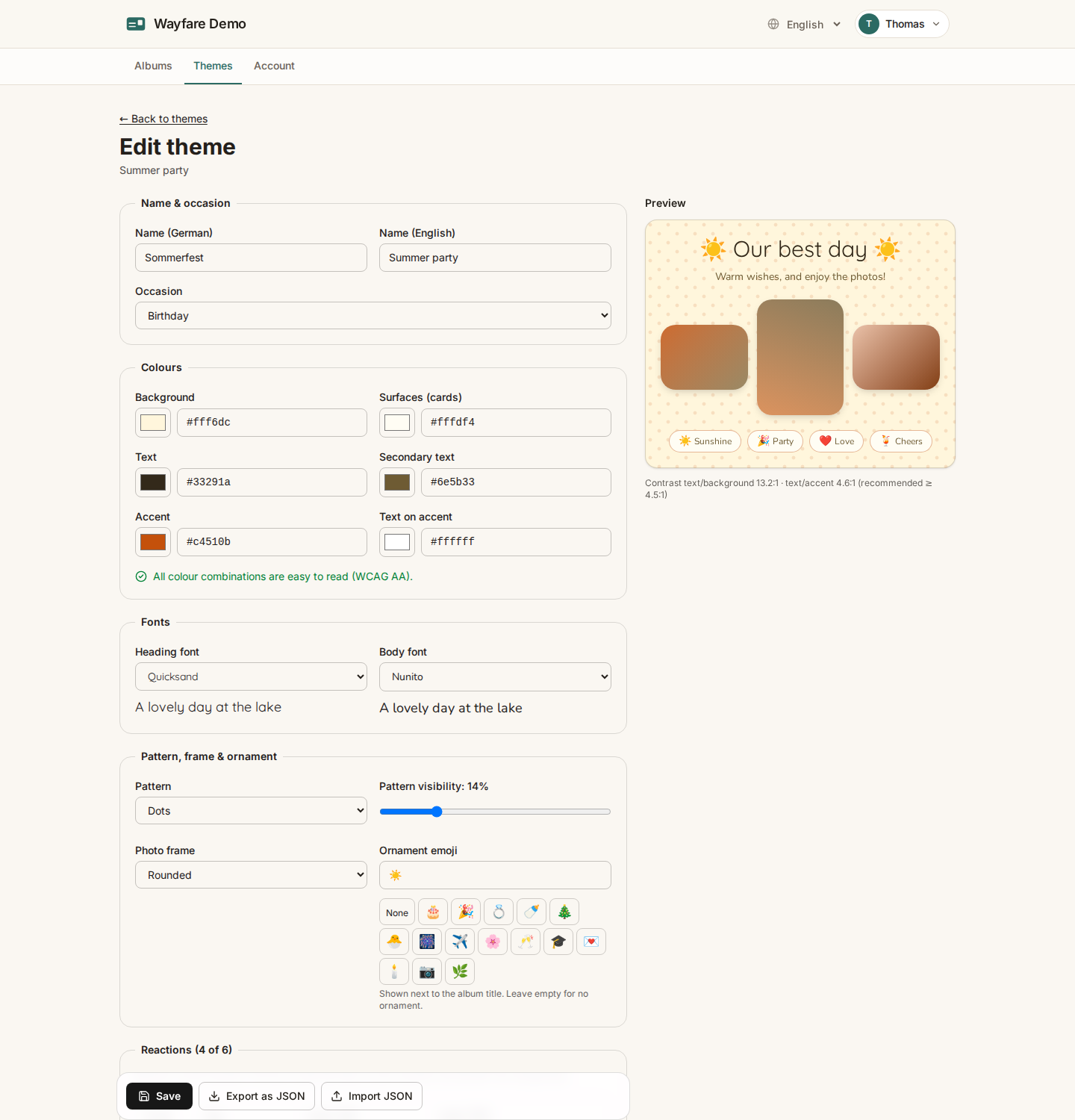
What you can change
| Part | Options |
|---|---|
| Name | German and English name |
| Occasion | One of the 13 occasions (used for grouping and icons) |
| Colours | Background, surface, text, muted text, accent and the text colour on accent areas. The builder warns about poor contrast |
| Fonts | Heading and body font from the bundled set: Inter, Nunito, Quicksand, Fredoka, Lora, Merriweather, Playfair Display, Cormorant Garamond, Dancing Script, Great Vibes, Caveat |
| Pattern | none, dots, confetti, hearts, stars, snow, leaves, eggs, waves, balloons, rings, fireworks, grid — with adjustable opacity |
| Frame | none, rounded, polaroid, deckle edge, stamp, gold, soft shadow |
| Ornament | An emoji displayed around the album title (optional) |
| Reactions | 1 to 6 reactions, each with emoji and German/English label |
A live preview shows the album cover and photo grid while you edit.
All fonts are self-hosted
Fonts are bundled with Wayfare — visitors' browsers never contact Google Fonts or any other third party.
Start from an existing theme
Choose Duplicate on a built-in theme to use it as base. The new theme remembers where it came from.
Export and import
Themes can be exported as a small JSON file and imported on another Wayfare instance — handy to share a design with friends.
Publishing (admins)
Custom themes are private to their owner. An admin can publish a theme instance-wide so every owner can pick it.
Deleting
If you delete a theme that is in use, albums using it fall back to Neutral.